How to Start Testing LLM and Agentic Apps in 10 Minutes with Rhesis AI
Testing LLM and agentic apps is hard: outputs are non-deterministic, edge cases are unpredictable, and manual testing doesn’t scale. It’s also not a task a single person can realistically manage — effective testing requires close collaboration between domain experts, technical engineers, and QA specialists to ensure comprehensive coverage and meaningful evaluation. While setting up a full testing pipeline usually takes days of configuration and tooling, this guide shows you how to get a complete, automated testing pipeline up and running with Rhesis in under 10 minutes. Rhesis provides the infrastructure to generate tests, run them against your app, and evaluate results automatically.
What You’ll Get
- Test generation: Generate hundreds of test scenarios from plain-language requirements
- Single-turn and multi-turn testing: Test both simple Q&A responses and complex conversations (via Penelope)
- LLM-based evaluation: Automated scoring of whether outputs meet your requirements
- Full testing platform: UI, API, and SDK for running and managing tests
Prerequisites
- Docker Desktop installed and running
- Git (to clone the repository)
- Ports 3000, 8080, 8081, 5432, and 6379 available on your system
- An AI provider API key (Rhesis API, OpenAI, Azure OpenAI, or Google Gemini)
Step 1: Clone and Start (5 minutes)
The ./rh start command automatically:
- Checks if Docker is running
- Generates a secure database encryption key
- Creates
.env.docker.localwith all required configuration - Enables local authentication bypass (auto-login)
- Starts all services (backend, frontend, database, worker)
- Creates the database and runs migrations
- Creates the default admin user (
Local Admin) - Loads example test data
Wait approximately 5-7 minutes for all services to start. You’ll see containers starting up in your terminal.
Step 2: Access the Platform (1 minutes)
Once services are running, access:
- Frontend Dashboard: http://localhost:3000 (auto-login enabled)
- Backend API Docs: http://localhost:8080/docs
- Worker Health: http://localhost:8081/health/basic
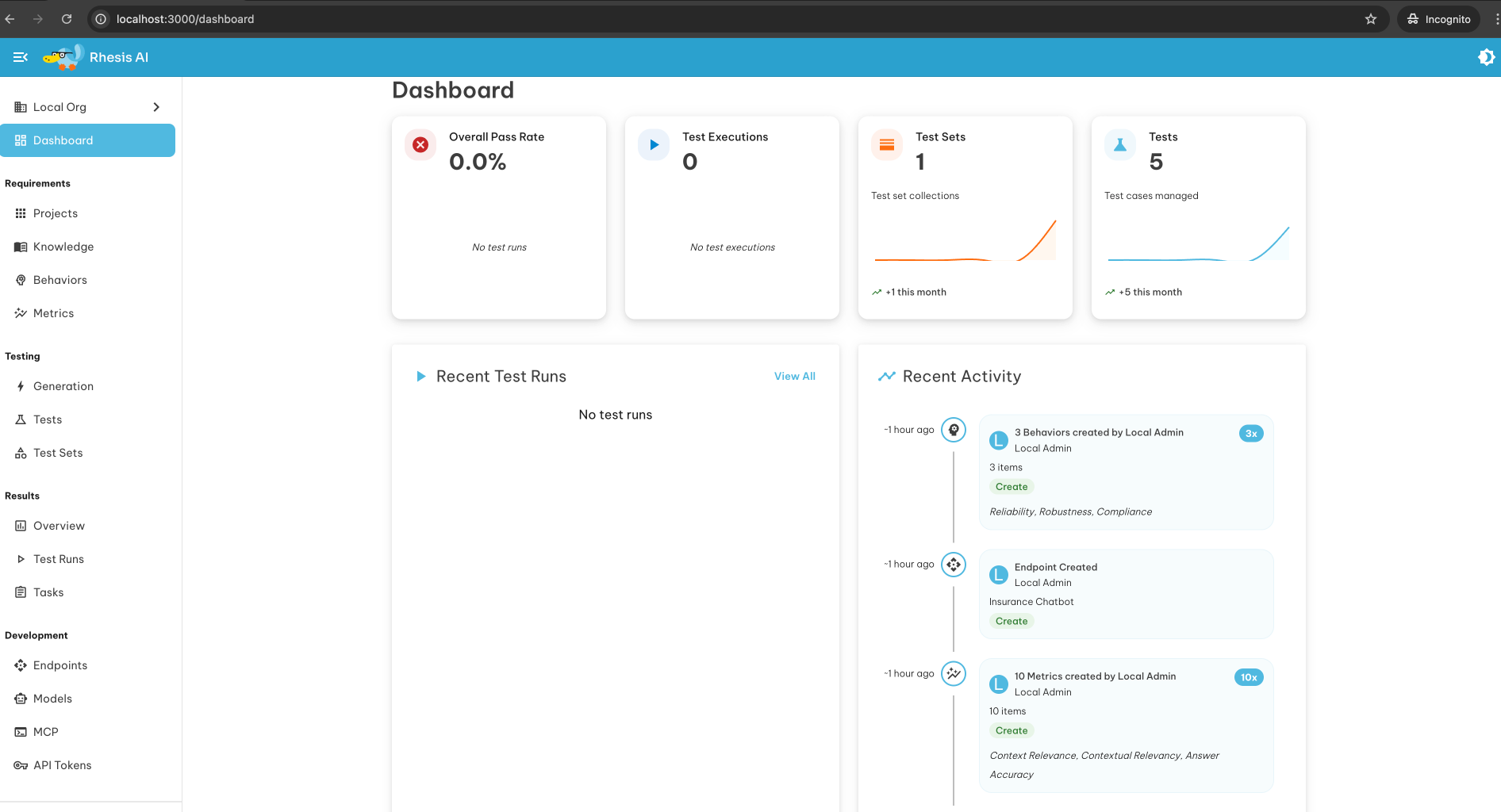
You should see the Rhesis dashboard automatically logged in as “Local Admin”.
Step 3: Configure AI Provider (1 minute)
To enable test generation, you need to configure an AI provider. Choose one:
Option 1: Use Rhesis API (Recommended)
- Get your API key from https://app.rhesis.ai/
- Edit
.env.docker.localand add:
Option 2: Use Your Own AI Provider
Add your provider credentials to .env.docker.local:
After updating, restart services:
Step 4: Start Testing Your LLM/Agentic App (3 minutes)
Via Web UI
- Create an Endpoint: Add your LLM/agentic app’s API endpoint
- Define Requirements: Write what your app should and shouldn’t do (e.g., “never provide medical diagnoses”, “always cite sources”)
- Generate Tests: Rhesis automatically generates hundreds of test scenarios, including adversarial cases
- Run Tests: Execute tests against your endpoint
- Review Results: See which outputs violate your requirements, add comments, assign tasks
Via Python SDK
Multi-Turn Testing with Penelope
For complex conversations, use Penelope to simulate multi-turn interactions:
What’s Running
Your local infrastructure includes:
| Service | Port | Description |
|---|---|---|
| Backend API | 8080 | FastAPI application handling test execution and evaluation |
| Frontend | 3000 | Next.js dashboard for managing tests and reviewing results |
| Worker | 8081 | Celery worker processing test runs and AI evaluations |
| PostgreSQL | 5432 | Database storing tests, results, and configurations |
| Redis | 6379 | Message broker for worker tasks |
Architecture Overview
The Rhesis testing infrastructure consists of interconnected services:
Quick Commands
Next Steps
- Read the docs: https://docs.rhesis.ai
- Try examples: Check the
examples/directory in the repository - Join Discord: Get help and share feedback
- Explore Penelope: Learn about multi-turn testing at https://docs.rhesis.ai/penelope
Troubleshooting
Running into issues? Don’t worry — many common problems have simple solutions, and our community is always happy to help. If you get stuck, join us on Discord: https://discord.rhesis.ai
Docker not running?
Start Docker Desktop and run again.
Port already in use?
Services not starting?
AI provider not working?
Verify your API key is correct in .env.docker.local and restart with ./rh restart.
Need More Help?
Sometimes issues are tricky — that’s why we love community support! Join our Discord (https://discord.rhesis.ai ) and ask questions. Share logs, screenshots, or errors, and we’ll help you get back on track quickly.
You’re all set! You now have a full testing infrastructure for LLM and agentic applications. Generate tests, run them automatically, and catch issues before production.
For more details, see the full self-hosting guide or read about our Docker Compose journey .